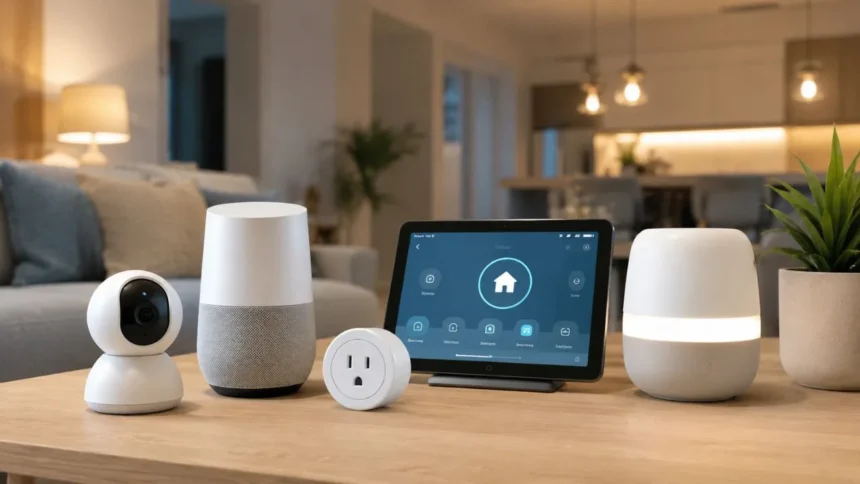
Building a smart home can appear complicated when every product promises a different ecosystem, wireless protocol, application, and voice assistant. Beginners may feel that they need expensive cameras, automated curtains, advanced control panels, and dozens of sensors before their home becomes genuinely intelligent. In reality, a useful connected home can begin with one affordable device that solves an everyday problem.
The best smart home devices for beginners are simple to install, easy to control, and compatible with products from several manufacturers. They should continue performing their basic functions when the internet is unavailable and should not require a costly subscription for every useful feature. Clear privacy settings, regular software updates, and dependable physical controls are equally important.
Smart-home compatibility is improving through Matter, a shared connectivity standard supported by major platforms. The Connectivity Standards Alliance released Matter 1.6 on June 17, 2026, with improvements to device setup, multi-ecosystem management, contextual controls, and the information that devices share with smart-home platforms. This progress can make it easier for beginners to combine products without becoming permanently locked into one brand.
However, a Matter logo does not mean that every feature will work identically in every application. Buyers still need to check their preferred ecosystem, regional electrical standards, router requirements, subscription costs, and installation needs. This guide explains which smart home products provide the greatest early value and how beginners can build a connected home without wasting money.
The Best Beginner Smart Home Devices at a Glance
A smart speaker or home hub is the best starting point for people who want one place to manage several connected devices. Apple users may prefer a HomePod mini, while Alexa households can consider an Echo device or Echo Hub. Google Home users can choose a compatible Nest Hub or another Matter controller that fits their existing devices.
A Matter-compatible smart plug is usually the easiest first accessory because it adds remote control and scheduling to an ordinary lamp, fan, or similar appliance. Smart lighting is another beginner-friendly category because the benefits are immediately visible. Users can dim lights, create routines, control several rooms together, and automate lighting around sunset or bedtime.
Contact sensors, water-leak detectors, and video doorbells add awareness rather than novelty. They can tell residents whether a door is open, alert them when water reaches a vulnerable area, or show who is standing outside. These devices become especially useful when their alerts are carefully configured instead of sending constant, unimportant notifications.
A smart thermostat or robot vacuum generally requires a larger budget, but both can provide meaningful long-term benefits. A thermostat can reduce unnecessary heating and cooling, while a robot cleaner handles part of a repetitive household task. Beginners should add these devices after establishing a reliable platform rather than purchasing everything at once.
Choose Your Smart Home Ecosystem First
A smart-home ecosystem is the main application and control platform through which household devices are organised. The largest consumer ecosystems include Amazon Alexa, Apple Home, Google Home, and Samsung SmartThings. Each platform can manage rooms, routines, voice commands, user permissions, and compatible connected-home products.
The simplest choice is usually the ecosystem already used by the household. People with iPhones, Apple Watches, and Apple TVs may find Apple Home more convenient. Households that already use Alexa speakers may prefer Amazon’s system, while Android and Google services users may feel more comfortable with Google Home.
Choosing a primary ecosystem does not mean every product must come from the same company. Matter is designed to let certified devices connect with supported platforms through a shared protocol. Google describes Matter as an open smart-home standard that allows compatible products to work with any Matter-certified ecosystem using one common protocol.
Beginners should still avoid switching between five applications to complete one routine. Select one main platform, use manufacturer apps only for firmware updates or advanced settings, and choose products that appear in the central home dashboard. A simple, understandable system will be easier to maintain than a collection of unrelated smart gadgets.
Understand Matter and Thread Before Buying
Matter is a connectivity standard rather than a wireless signal. Matter-compatible products can communicate over networking technologies such as Wi-Fi, Ethernet, and Thread. Its main purpose is to improve interoperability so that devices from different manufacturers can be added to compatible smart-home platforms more consistently.
Thread is a low-power mesh networking technology commonly used by sensors, locks, plugs, and other accessories. Thread devices can pass network information between one another, potentially improving coverage and resilience as more devices are added. A Thread border router connects that network to the rest of the home system.
Some smart-home hubs already include Thread border-router functionality. Apple states that Thread-based Matter accessories can use a HomePod mini, supported HomePod, compatible Apple TV 4K, or another supported border router. Amazon also lists the Echo Hub and several other Echo or eero products among devices that support Matter or Thread connectivity.
Beginners do not need to understand every technical detail before buying a light or plug. They should simply check whether a Thread product requires an additional border router and whether that router is already present. A device described as Matter over Wi-Fi may connect directly through the existing router, while Matter over Thread normally needs a compatible home hub.
Best Smart Home Hub for Beginners
A home hub connects devices, runs automations, enables remote control, and may provide voice or touchscreen access. The best beginner hub is not automatically the most powerful model. It is the one that supports the household’s existing phones, services, and planned accessories without adding unnecessary complexity.
For an Apple household, the HomePod mini is a practical starting point. It functions as a speaker, voice assistant, Apple Home hub, and Thread border router for compatible Matter accessories. Apple says that HomePod devices automatically become home hubs when they are configured in the Home app.
For an Alexa-based home, the Echo Hub is a strong option when residents want a dedicated wall-mounted or countertop control panel. It connects with compatible Wi-Fi, Bluetooth, Zigbee, Matter, and Thread products and can provide direct access to cameras, locks, alarms, thermostats, and routines.
Beginners who only want voice control may not need an expensive display. A smaller compatible speaker can control lights and plugs while acting as a Matter controller on supported models. Before buying, confirm whether the exact model includes Thread, Zigbee, or Matter support because capabilities vary across generations.
Best Smart Plug for Beginners: Tapo P125M
A smart plug is one of the least expensive ways to understand home automation. It fits between a wall outlet and an ordinary electrical device, allowing the user to turn that device on or off remotely. It can also follow schedules, timers, voice commands, and routines.
The TP-Link Tapo P125M is a practical beginner option because it is compact and Matter-certified. It works with supported Amazon Alexa, Apple Home, Google Home, and other Matter ecosystems. Users can schedule attached devices, activate an automatic shutoff, or control the plug through the Tapo application.
A particularly useful feature is local Matter control. TP-Link states that a previously configured P125M can remain accessible through compatible applications even when the home loses its internet connection. This does not guarantee that every remote or cloud feature will continue working, but basic local control is valuable for reliability.
Smart plugs should only be used within their stated electrical rating and with suitable appliances. They are useful for lamps, decorative lights, and some fans, but they are not automatically safe for every heater, motor, kettle, or high-powered appliance. Beginners should check the appliance load and product instructions before connecting anything that produces significant heat.
Best Smart Lighting for Beginners: Philips Hue
Smart lighting provides immediate, understandable benefits. Residents can dim a room, group several bulbs, create schedules, and activate different settings for reading, working, relaxing, or watching television. Lighting routines can also make an empty home appear occupied without requiring someone to leave lights running continuously.
Philips Hue remains a beginner-friendly choice for people who want a mature lighting ecosystem. Its starter kits include compatible bulbs and, depending on the package, a Hue Bridge or control accessories. The official Hue range offers starter kits intended to provide the main components needed to begin a connected-lighting system.
The newer Hue Essential range provides a more affordable entry point and includes Matter-enabled options. Philips describes Hue Essential as a budget-friendly range offering adjustable white light and everyday dimming. Compatible Matter bulbs can connect directly to a supported Google Nest Hub, Amazon Echo, or Apple HomePod mini without a Hue Bridge.
A bridge-based system can still be worthwhile when the household plans to install many bulbs, switches, and sensors. Dedicated wireless controls also prevent the common problem of someone switching off power at the wall and disconnecting a smart bulb. Beginners should add at least one physical button or dimmer so guests can use the lighting normally.
Best Door Sensor for Beginners: Aqara P2
A door and window sensor contains two small pieces that detect when they move apart. It can show whether a door, window, cabinet, or drawer is open. The information can trigger notifications or automations, such as turning on a closet light when the door opens.
The Aqara Door and Window Sensor P2 is a useful cross-platform option because it supports Matter over Thread. Aqara states that it can connect with Apple Home, Google Home, Amazon Alexa, Samsung SmartThings, and Aqara Home through a compatible Matter controller and Thread border router.
The sensor can work locally and uses a Hall-effect sensor to detect the position of its magnetic second piece. Its wireless protocols include Thread and Bluetooth, with Bluetooth primarily supporting setup. Users should carefully align both parts during installation so that the open and closed states are detected reliably.
For beginners, the best first automation is usually simple. A contact sensor could switch on a wardrobe light or alert the household when an exterior door remains open. Avoid creating several complicated actions until the basic status reporting has worked consistently for a few days.
Best Smart Thermostat for Beginners: Ecobee Essential
A smart thermostat can provide greater value than many decorative smart-home products because heating and cooling represent a substantial household expense. It can follow a schedule, respond to occupancy, provide remote controls, and reduce conditioning when the property is empty.
The Ecobee Smart Thermostat Essential is designed as a simpler entry-level model. It includes a colour touchscreen, remote application control, scheduling, vacation settings, and support for Apple HomeKit, Google Assistant, and Amazon Alexa. Buyers must check HVAC compatibility before ordering because wiring and system requirements vary.
Energy savings depend on climate, equipment, insulation, occupancy, and previous thermostat habits. ENERGY STAR reports that certified smart thermostats save approximately 8% on heating and cooling bills on average, although individual results may be higher or lower. Certified products are evaluated through field data rather than unsupported marketing claims alone.
A thermostat is not an ideal first project for every renter or homeowner. Some systems require a common wire, adapter, or professional installation, and certain heating systems may not be compatible. Beginners should use the manufacturer’s compatibility checker and consult a qualified technician when the existing wiring is unclear.
Best Video Doorbell for Beginners: Nest Doorbell
A video doorbell allows residents to see and communicate with visitors without immediately opening the door. It can also provide notifications for deliveries, movement, or specific activity zones. These functions are useful, but buyers should consider wiring, viewing angle, storage, privacy, and subscription fees.
The current Google Nest Doorbell wired model is the third-generation version. It offers 2K HDR video, person and package alerts, activity zones, and six hours of event previews without requiring the highest subscription tier. Google’s advanced Gemini-powered descriptions, searchable history, and longer recording history require a paid Google Home Premium plan.
The wired version is a good choice when suitable doorbell wiring already exists and continuous power is preferred. A battery model can be easier for some renters or properties without compatible wiring, but it requires periodic charging and offers different video specifications. Users should compare the exact versions instead of assuming all products carrying the same brand name are identical.
Privacy deserves as much attention as image quality. The FTC recommends choosing cameras that encrypt account information, livestreams, and stored recordings. Users should also enable multi-factor authentication, review shared access, install updates, and avoid pointing cameras into private neighbouring spaces.
Best Water-Leak Sensor for Beginners
Water-leak sensors are inexpensive compared with the damage that an unnoticed leak can cause. They are placed near washing machines, dishwashers, sinks, toilets, water heaters, or other vulnerable areas. When water connects the sensing contacts, the device can trigger an alarm or send a mobile notification.
The Aqara Water Leak Sensor is a compact option for households already using an Aqara hub. It communicates through Zigbee and can send an application alert when its probes detect water. Because it requires an Aqara hub for its connected features, it is less suitable for someone who does not plan to use other Aqara products.
Beginners who do not already own a compatible hub can choose a Wi-Fi or Matter-compatible detector from a reputable manufacturer. The key features are a loud local alarm, reliable mobile alerts, replaceable batteries, clear low-battery warnings, and an update policy. A safety-related alert should not rely only on a cloud service.
More advanced water-monitoring systems can identify abnormal flow and close the main supply through an installed shutoff valve. Moen’s Flo system, for example, combines flow and pressure monitoring with leak detection and remote shutoff. Such systems may require professional plumbing installation and belong in a later smart-home phase rather than a basic starter kit.
Best Robot Vacuum for Beginners
A robot vacuum is different from most smart-home accessories because it completes a physical household task. It can follow a schedule, move between rooms, avoid stairs, and return to its charging station. More advanced models can empty their bins, mop floors, or clean their own pads.
Current Roomba options include the 105 Combo Robot with an AutoEmpty dock and the 205 DustCompactor Combo Robot. The first empties debris into a dock, while the second is designed to compact dirt inside the robot. Both target people who want to reduce how often they interact with the cleaner.
A beginner does not necessarily need the most expensive robot with an elaborate washing station. Basic navigation, dependable obstacle detection, replaceable brushes, and affordable consumables may matter more. Homes with thick rugs, cables, small toys, stairs, or pet accidents require extra preparation before unattended cleaning.
Robot vacuums reduce routine floor maintenance but do not eliminate normal cleaning. Corners, stairs, furniture edges, and heavily soiled areas may still require manual attention. The best model is one that matches the flooring and layout rather than the product with the longest feature list.
Should Beginners Buy a Smart Lock?
A smart lock can provide temporary access codes, remote status information, and automatic locking. It is attractive for households that frequently receive guests, cleaners, carers, contractors, or short-term visitors. However, it affects the main physical entry point and deserves more careful planning than a light bulb.
Before purchasing, check the door thickness, deadbolt type, lock dimensions, weather exposure, and whether the door closes smoothly. A smart motor cannot compensate for a misaligned frame or damaged mechanical lock. Some products replace the complete lock, while retrofit models turn the existing interior thumb turn.
Beginners should prioritise models with dependable low-battery warnings and a clear emergency-entry method. A physical key, external battery contact, or another trusted backup can prevent a dead battery from becoming a lockout. Remote unlocking should also be protected with multi-factor authentication and carefully managed user permissions.
A smart lock is best added after the household has gained experience with simpler products. Start with plugs, lights, and sensors, then decide whether connected entry control solves a genuine problem. Security-critical purchases should be based on local lock standards and professional installation requirements, not only app features.
Protect Your Smart Home From Hackers
Every connected product introduces an account, application, or software component that could become a security weakness. The FTC recommends changing default administrator details, using unique passwords, enabling network encryption, and regularly installing hardware and software updates.
Multi-factor authentication should be activated for smart-home platforms, cameras, locks, and other security-sensitive services. It adds another verification step when someone attempts to sign in. Passwords should not be reused across smart-home accounts because one compromised service could expose several household systems.
The wireless router is the foundation of the connected home. Users should change its default administrator password, enable modern encryption, update its firmware, and disable remote-management features they do not need. A separate guest or IoT network can also prevent less-trusted devices from having direct access to personal computers and storage.
Software-support periods should influence purchasing decisions. The FTC has warned that consumers often struggle to discover how long manufacturers will continue updating connected devices. A cheap product may become poor value when security patches stop after a short period, so buyers should look for a published support policy before ordering.
Create Useful Automations Without Making Life Complicated
A beginner automation should solve one clear problem. A smart plug can turn off a lamp at bedtime, a contact sensor can activate a closet light, or a thermostat can reduce heating while the house is empty. These routines are easier to understand and troubleshoot than large sequences involving many devices.
After the first automation works reliably, another condition can be added. A hallway light might activate only after sunset, or an entrance notification might be disabled while the household is asleep. Each condition should have an obvious purpose rather than existing merely because the platform supports it.
Essential controls should remain available manually. People should still be able to operate lights, adjust temperature, unlock doors, and respond to alarms during a network failure. Physical switches and backup access methods make the home more comfortable for guests and residents who do not use the main application.
Automation names should also be clear. Labels such as “Downstairs Off,” “Leaving Home,” and “Night Lights” are easier to remember than vague names such as “Routine One.” Clear naming becomes increasingly important as the household adds rooms, users, scenes, and voice commands.
A Simple Beginner Smart Home Setup Plan
Begin with a compatible hub or use one already present in the household. Confirm that it supports the required Matter and Thread features, then update its software before pairing new accessories. Keeping the main platform current can prevent setup issues and improve security.
Next, install one smart plug and one smart light in the room used most often. Spend several days testing remote control, schedules, physical controls, and voice commands. This small experiment reveals whether the chosen ecosystem feels comfortable before more money is invested.
The second phase can add practical sensors. Place a leak detector near a washing machine or water heater and use a contact sensor on an entrance, window, or cupboard. Configure only meaningful notifications so the household does not become overwhelmed by repeated alerts.
The third phase can include a thermostat, video doorbell, smart lock, or robot vacuum. These products require more money, installation planning, or privacy decisions. Expanding gradually helps residents identify which features genuinely improve daily life and which ones are unnecessary.
Common Beginner Smart Home Mistakes
The first mistake is buying devices simply because they are discounted. A cheap gadget creates little value when it requires a separate application, lacks updates, or cannot connect to the household’s main ecosystem. Compatibility and long-term support are more important than a temporary sale price.
The second mistake is replacing every wall switch with voice control. Voice assistants are convenient, but they are not ideal in every room or situation. A good smart home supports applications, automations, physical controls, and voice commands rather than depending completely on one interaction method.
The third mistake is ignoring subscription costs. Cameras, doorbells, cloud storage, advanced AI alerts, and security monitoring may require monthly plans. Google, for example, provides some Nest Doorbell features without a paid plan, while longer history and Gemini-powered functions are linked to Google Home Premium.
The final mistake is creating excessive notifications. If every motion event, temperature change, and door opening produces an alert, residents may stop paying attention. Notifications should be reserved for information that could change a decision, such as a leak, unexpected entry, low battery, or security event.
How to Future-Proof a Beginner Smart Home
Choose products that support widely adopted platforms and current connectivity standards. Matter can reduce ecosystem dependence, while Thread may provide low-power mesh connectivity for compatible sensors and accessories. The release of Matter 1.6 shows that the standard continues to improve rather than remaining fixed at its first version.
Local control is another valuable feature. Amazon explains that direct Matter connectivity can reduce latency and improve reliability because compatible devices can be controlled locally instead of depending entirely on a cloud integration.
Replaceable batteries, available spare parts, and physical controls can extend the useful life of a device. A smart product should not become unusable because one proprietary component is unavailable or an application changes. Buyers should also save Matter setup codes, receipts, and device information in a secure location.
Future-proofing does not require buying the newest premium model. It means selecting products that solve a current need, fit recognised standards, receive updates, and continue offering basic functionality without unreasonable dependence on subscriptions. A smaller dependable system is usually a better investment than an ambitious but fragile one.
Conclusion
The best smart home devices for beginners are those that provide immediate value without demanding technical expertise. Smart plugs, lighting, hubs, contact sensors, and leak detectors are ideal early purchases because their functions are simple, visible, and easy to test.
A Matter-compatible plug such as the Tapo P125M, a Philips Hue starter setup, and an Aqara P2 contact sensor can form a practical foundation. A compatible HomePod, Echo, Nest, or other smart-home controller can then bring these products into one manageable ecosystem.
Thermostats, video doorbells, smart locks, and robot vacuums can be added after the household understands its priorities. These products often involve greater costs, subscriptions, installation requirements, or privacy decisions, so they should be selected more carefully.
A successful smart home does not need dozens of devices. It needs secure accounts, reliable controls, useful automations, and products that work together. Starting small gives beginners the freedom to build a home that becomes genuinely more convenient instead of merely more connected.
Frequently Asked Questions
What smart home device should a beginner buy first?
A Matter-compatible smart plug is usually the easiest starting point. It is affordable, simple to install, and introduces remote control, schedules, voice commands, and basic automations.
Do I need a smart home hub?
Wi-Fi devices may work without a separate hub, but Thread, Zigbee, and some Matter accessories require a compatible controller or border router. A hub also enables remote access and more reliable automations.
Is Matter important when buying smart devices?
Matter can make it easier to connect products across Apple Home, Alexa, Google Home, and other supported ecosystems. It improves flexibility, although buyers must still confirm individual features and hub requirements.
Can smart home devices work without the internet?
Some products support local controls and automations when the internet is unavailable. Cloud-based remote access, voice processing, video storage, or advanced AI features may stop until the connection returns.
How much should a beginner spend on a smart home?
A basic setup can begin with one hub, plug, bulb, or sensor rather than a complete package. Expanding gradually is more economical because it allows users to test compatibility before making larger purchases.