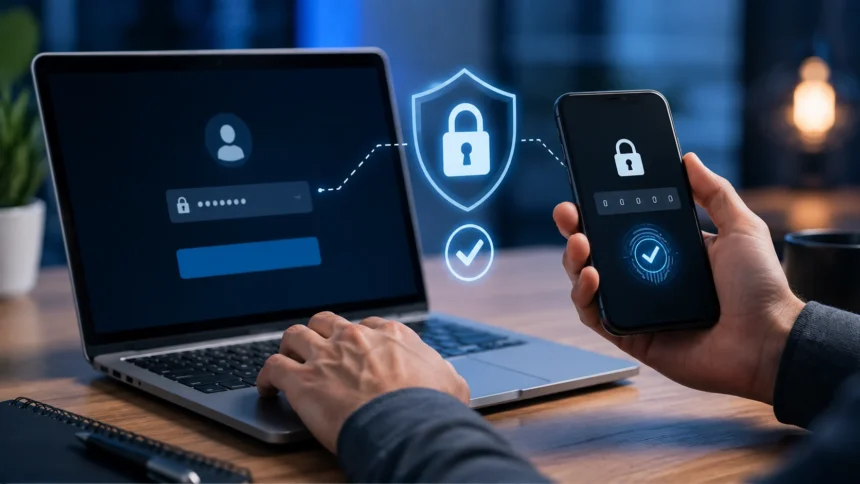
What Is 2FA? How Two-Factor Authentication Works
2FA, or two-factor authentication, is a security method that requires two different forms of verification before someone can access an account. Instead of relying only on a password, 2FA asks the user to prove their identity with an additional factor such as a code, security key, fingerprint, or authentication app. This extra step makes it much harder for an attacker to log in using a stolen password alone. Even if someone knows your username and password, they may still be unable to access the account without the second verification factor. That is why many email providers, banks, social platforms, cloud services, and business applications now encourage or require 2FA. Understanding what is 2FA is one of the simplest ways to improve everyday online security.
Passwords remain useful, but they are frequently stolen through phishing, malware, password leaks, credential stuffing, or reuse across different websites. A user may create a strong password and still lose control of it if a trusted website suffers a data breach. Two-factor authentication adds another barrier so a compromised password does not automatically become a compromised account. The second factor ideally comes from something different from the password, such as a physical device or biometric characteristic. This principle is what makes 2FA stronger than simply asking for two passwords. The security benefit comes from combining different categories of evidence.
2FA is also closely related to multi-factor authentication, commonly shortened to MFA. Two-factor authentication specifically uses two factors, while MFA can use two or more independent forms of verification. In everyday conversation, the terms are often used interchangeably because many MFA systems require exactly two steps. However, the technical distinction matters when businesses design security policies. An account requiring a password and a one-time code is using two factors if those steps belong to different authentication categories. Requiring a password plus another password would not provide the same type of protection.
This article explains what 2FA is, how two-factor authentication works, the different types of 2FA, and why it matters. It also covers SMS codes, authenticator apps, security keys, push notifications, biometrics, backup codes, phishing risks, and common setup mistakes. You will learn which 2FA methods are generally stronger and what to do if you lose access to your second factor. The goal is to explain the topic clearly without making account security feel unnecessarily complicated. Once you understand the basic idea, enabling 2FA becomes one of the most practical security improvements you can make.
What Is 2FA?
Two-factor authentication is a login process that requires two separate types of verification before granting access. The first factor is commonly something you know, such as a password or PIN. The second factor might be something you have, such as a phone or hardware security key. It can also be something you are, such as a fingerprint or facial recognition measurement. Requiring two different factors creates a stronger identity check than a password alone. This reduces the chance that a single stolen credential will be enough for an attacker.
The word “factor” is important because security systems generally divide authentication methods into categories. Knowledge factors include passwords, PINs, or answers known by the user. Possession factors include smartphones, smart cards, security keys, or devices capable of generating codes. Inherence factors include biometric characteristics such as fingerprints or facial features. Location and behavioral factors may also be used in some advanced systems. True 2FA combines evidence from two different categories rather than asking the same type of question twice.
A familiar example is logging into an email account with a password and then entering a six-digit code generated by an authentication app. The password proves something you know, while the app on your phone proves possession of a registered device. Another example is using a bank card together with a PIN at an ATM. The card represents something you have, while the PIN represents something you know. These combinations make impersonation more difficult because an attacker needs access to two independent pieces of evidence. That is the central idea behind two-factor authentication.
2FA does not make an account impossible to compromise. Attackers can still use sophisticated phishing pages, malware, social engineering, session theft, or account-recovery abuse to bypass weak implementations. However, requiring a second factor significantly raises the difficulty of many common attacks. Stronger methods such as hardware security keys can also resist certain phishing techniques much better than simple one-time codes. The effectiveness therefore depends partly on which second factor is used. Enabling any reputable 2FA method is usually better than relying only on a password.
How Does Two-Factor Authentication Work?
The process normally begins with the user entering their username and password. The website checks those credentials against its stored authentication system just as it would during a normal login. If the password is correct, access is not granted immediately because the second verification step is still required. The service may send a code, request approval through an app, or ask the user to interact with a security key. Only after the second factor is verified does the system complete the login. This creates two separate checkpoints during authentication.
The second factor can work in several different ways depending on the service. An SMS-based system sends a temporary code to a registered phone number. An authenticator app generates rotating one-time passwords using a secret stored during setup. A hardware security key uses cryptographic methods to prove that the registered physical device is present. Push authentication sends a request to a trusted phone and asks the user to approve or reject the login. Each method provides additional evidence beyond the password.
Many services also evaluate contextual information during login. They may check whether the device is recognized, whether the location appears unusual, or whether the login resembles previous behavior. A service might request 2FA every time or only when a new device or suspicious login is detected. This is sometimes called adaptive or risk-based authentication. The system increases security when risk appears higher without requiring unnecessary steps during every normal session. Businesses often use this approach to balance security with user convenience.
After successful authentication, the service may create a session so the user does not need to repeat 2FA for every page. Trusted-device options can also reduce repeated prompts for a limited period. These features are convenient but should be used carefully on shared or public computers. Marking an untrusted device as remembered can weaken the protection provided by 2FA. Users should also sign out properly when using devices they do not control. Two-factor authentication works best when session security is handled responsibly as well.
Why Is 2FA Important?
The biggest reason 2FA matters is that passwords are often compromised. People may reuse the same password across several sites, allowing one breach to expose multiple accounts. Attackers also use automated credential-stuffing tools to test stolen username and password combinations on many services. If the account relies only on a password, a correct combination may provide immediate access. Two-factor authentication creates an additional obstacle that those stolen credentials cannot satisfy by themselves. This significantly reduces the value of password databases to many attackers.
Phishing is another major reason to use 2FA. Attackers frequently create fake login pages that imitate banks, social networks, email services, or workplace systems. A user may unknowingly enter a valid password into the fraudulent page. If no additional protection exists, the attacker can use that password immediately. Some forms of 2FA can still be phished, but the attacker must overcome additional barriers. Phishing-resistant authentication methods provide even stronger protection against this threat.
2FA also protects valuable personal information stored inside online accounts. Email accounts can contain password-reset links, private conversations, financial documents, and access to many other services. Social accounts may contain private messages and can be used to impersonate the owner. Cloud storage can include photos, business records, or sensitive personal files. Banking and payment accounts have obvious financial risks. Adding a second authentication factor therefore protects much more than the login page itself.
For businesses, 2FA can reduce the risk of account takeover involving employee systems. A compromised employee account may provide access to email, cloud applications, customer information, internal files, or administrative controls. Requiring MFA for staff and especially administrators adds an important layer of protection. Organizations should still use secure passwords, device management, logging, and access controls because 2FA is not a complete security program. It is one strong control within a broader identity-security strategy. The combination is far more effective than passwords alone.
What Are the Main Types of 2FA?
SMS authentication is one of the most familiar forms of two-factor authentication. After the password is accepted, the service sends a temporary code to the user’s registered mobile number. The user enters that code to finish logging in. SMS is convenient because almost everyone has a phone and no additional application may be required. It is better than password-only security in many situations. However, stronger options are generally preferred when they are available.
Authenticator apps generate temporary verification codes directly on a registered smartphone or other device. Apps such as Google Authenticator, Microsoft Authenticator, and similar tools can produce time-based codes without relying on an SMS message arriving through the mobile network. The codes typically change every short interval, reducing the usefulness of an intercepted old code. These applications are commonly used for email, cloud, social, and developer accounts. They are generally considered stronger than SMS against certain attacks. Users should back up or securely transfer their authenticator setup when changing phones.
Push-based authentication sends a login request to a registered device. Instead of typing a code, the user may simply approve or deny the request. Some modern implementations show a number on the login screen that must be matched inside the app. This reduces the risk of users blindly approving repeated prompts. Push authentication is convenient and can offer strong protection when designed properly. Users should immediately deny unexpected requests because they may indicate that someone already knows the password.
Hardware security keys provide another type of second factor. These are physical devices that connect through USB, NFC, Bluetooth, or other supported technologies. Modern security keys can use standards designed to verify the legitimate website before approving authentication. This makes them highly resistant to phishing compared with manually typed one-time codes. Businesses and users with high-value accounts often benefit from this stronger protection. Keeping a backup key is wise in case the primary device is lost or damaged.
What Is SMS 2FA?
SMS 2FA sends a temporary verification code to the user’s mobile phone after the correct password is entered. The user normally receives a short text message containing a numeric code. That code must be entered into the website or application before access is granted. The service may generate a different code for every login attempt. Because the code expires quickly, it is less useful to someone who obtains it later. SMS is popular because it is simple and requires little setup.
The main advantage is accessibility. Users do not need to install an authentication application or purchase a security key. Most people already understand how to receive and read text messages. This makes SMS useful for services serving broad audiences with different technical abilities. It can significantly improve security compared with having no second factor. Convenience has therefore helped SMS become one of the most common introductory 2FA methods.
The main weakness is that phone numbers can sometimes be hijacked through SIM-swapping attacks. In a SIM swap, an attacker convinces or tricks a mobile provider into transferring the victim’s number to a different SIM or device. The attacker may then receive SMS verification codes intended for the victim. Text messages can also face other interception or account-recovery risks depending on the mobile ecosystem. These weaknesses make SMS less resistant to targeted attacks than security keys or many authenticator methods. Users with stronger options available should consider using them.
SMS 2FA should not be rejected simply because it is not the strongest possible method. For many users, SMS still provides a meaningful improvement over password-only authentication. If an account offers only SMS as a second factor, enabling it is generally better than leaving 2FA disabled. If the service later adds authenticator apps, passkeys, or security keys, users can upgrade. Security can be improved gradually rather than waiting for a perfect setup. The important first step is reducing dependence on passwords alone.
What Is an Authenticator App?
An authenticator app is software that generates temporary codes used during two-factor authentication. During setup, the service and app share a secret that allows both sides to calculate matching one-time passwords. These codes usually change every 30 seconds or another short interval. The phone does not necessarily need an internet connection for the code generation itself. This makes authenticator apps useful even when cellular reception is poor. The code remains valid only briefly before a new one replaces it.
Setup typically begins by enabling app-based 2FA inside the account’s security settings. The website displays a QR code containing the information needed to register the account with the authenticator application. The user scans the code and then enters one generated number to confirm that setup succeeded. Afterward, the app can produce future login codes. The QR code or secret should be treated carefully because anyone who copies it may be able to generate matching codes. Users should complete setup in a private and trusted environment.
Authenticator apps avoid some risks associated with SMS because the code is not sent through the mobile phone network. An attacker who steals the password still needs access to the authenticator secret or current generated code. However, sophisticated phishing sites can trick users into entering both password and one-time code in real time. The attacker can then quickly relay those credentials to the real service before the code expires. App-based 2FA is therefore stronger than passwords alone but not completely phishing-proof. Security keys and passkeys can provide stronger resistance to this type of attack.
Losing a phone can create account-access problems if no recovery method was prepared. Some authenticator apps support secure cloud backup or device transfer, while others require manual migration. Users should save recovery codes provided by important services when enabling 2FA. Those codes should be stored somewhere secure and separate from the phone. A second registered device may also be useful when the service allows it. Planning recovery during setup prevents unnecessary stress later.
What Are 2FA Backup Codes?
Backup codes are one-time emergency codes provided when two-factor authentication is enabled. They allow the account owner to log in when the normal second factor is unavailable. For example, a user who loses their phone may enter a backup code instead of the authenticator-app code. Each code is usually valid only once and should be removed from the list after use. Services commonly provide several codes during setup. These codes are an important part of account recovery.
Backup codes should be stored securely because they can bypass the normal second-factor requirement. Saving them in an unprotected note on the same phone used for authentication reduces their usefulness as an independent recovery option. A password manager can be appropriate when it is itself well protected. Some users prefer printing the codes and storing them in a secure physical location. The best method depends on personal risk and convenience. The important principle is keeping the backup accessible to you but difficult for anyone else to obtain.
Users should also check whether new backup codes can be regenerated. Generating a new set often invalidates all previous codes, which is useful if you believe one may have been exposed. After using a code, mark it clearly or rely on the service to remove it automatically. Trying an already-used code during an emergency can create confusion. Periodic account-security reviews are a good time to confirm that recovery information is still available. Backup planning should not be forgotten simply because normal logins are working.
Businesses should handle administrative recovery codes especially carefully. An attacker who obtains a privileged account’s backup codes may bypass otherwise strong authentication controls. Codes should not be shared through insecure chat messages or stored in openly accessible team documents. Organizations may instead use controlled recovery procedures and privileged-access management systems. The recovery process should be tested without making it easy to abuse. Secure recovery is an essential part of strong 2FA implementation.
What Is a Hardware Security Key?
A hardware security key is a physical authentication device used to prove that the account owner possesses a trusted key. The user may insert it into a USB port, tap it through NFC, or connect using another supported method. When the account requests verification, the user interacts with the key to approve authentication. Modern keys use cryptographic techniques rather than simply displaying reusable information. This allows the service to verify the key without exposing a secret that can easily be copied. Hardware keys are among the strongest widely available 2FA methods.
One major advantage is resistance to phishing. Properly implemented security-key standards can bind authentication to the legitimate website domain. If a user visits a fake login page, the security key will not authenticate that fraudulent domain in the same way. This removes one weakness of typed one-time codes, which users can accidentally give to attackers. The user does not need to visually recognize every subtle phishing trick for the cryptographic protection to help. This is why security keys are often recommended for administrators and high-risk users. They reduce dependence on human judgment during every login.
The main disadvantages are cost and physical management. Users need to purchase the key and keep it available when logging in. Losing the only registered key can create recovery problems. A backup key stored in a safe location is therefore strongly recommended for important accounts. Some services also allow another secure authentication method as an emergency backup. Recovery planning should be completed before the primary key is ever lost.
Security keys can protect email, social media, cloud platforms, developer services, and many enterprise applications when those services support the relevant standards. Support has expanded significantly as phishing-resistant authentication becomes more important. Businesses can issue keys to employees with privileged or sensitive access. Individual users may choose them for their most valuable accounts rather than every low-risk service. The strongest authentication method is especially useful where account compromise would cause serious harm. Hardware keys offer that additional level of protection.
What Is Biometric 2FA?
Biometric authentication uses a physical or behavioral characteristic to help verify identity. Common examples include fingerprints, facial recognition, iris scanning, and certain voice or behavioral measurements. A biometric can serve as an inherence factor because it represents something the user is rather than something they know. When combined with another independent factor, it can form part of two-factor authentication. Smartphones commonly use biometrics to unlock secure authentication functions. The exact security architecture varies depending on the device and service.
Biometrics are convenient because users do not need to remember another code. A fingerprint or face scan can be performed quickly during login or device authentication. Modern devices often store biometric templates locally in secure hardware rather than sending raw biometric images to every website. The website may receive confirmation that the device authenticated the user rather than receiving the actual fingerprint. This architecture reduces some privacy and security risks. Users should still understand what their specific device and service actually store.
Biometric data has different security properties from passwords. If a password is compromised, the user can create a new one. A person’s fingerprints or facial characteristics cannot be replaced in the same way. Systems therefore need to protect biometric templates carefully. Accuracy also matters because biometric systems must balance false acceptance and false rejection. Environmental conditions, injuries, lighting, or device quality can sometimes affect recognition. A secure fallback method is therefore usually necessary.
Biometrics can also be misunderstood when used only to unlock a device that already possesses another factor. Whether a particular login counts formally as two independent factors depends on the complete authentication design. Users do not need to memorize every technical classification to benefit from the security. The practical goal is to use strong device protection and secure account authentication together. Modern passkey systems often combine device possession with local biometric or PIN verification. This can provide both strong security and a smooth user experience.
Is 2FA the Same as MFA?
2FA and MFA are closely related but not technically identical terms. Two-factor authentication means exactly two independent authentication factors are required. Multi-factor authentication means two or more factors may be required. Therefore, every properly implemented 2FA system is a form of MFA. An MFA system could also require three factors in unusually sensitive environments. The terms are often used interchangeably because two factors are most common in practice.
A login using a password and authenticator-app code is usually an example of 2FA. A system requiring a password, security key, and biometric check could involve more than two factors depending on the implementation. Organizations often use the term MFA in security policies because it does not limit them to exactly two factors. Consumer services frequently use 2FA because the two-step concept is easier to explain. Both approaches reduce reliance on a single credential. The security principle behind them is the same.
Two-step verification is another related phrase that can cause confusion. Two steps do not automatically mean two factors. A website might ask for a password and then a second knowledge-based question, which creates two steps but may still rely on the same authentication category. True 2FA requires different factor types. This distinction matters because two independent factors are harder for an attacker to compromise together. Security terminology therefore reflects more than the number of screens shown during login.
For ordinary users, the practical advice remains simple. Enable the strongest second factor your important accounts support. Whether the service calls it 2FA, MFA, two-step verification, or advanced account protection matters less than the actual technology used. Prefer phishing-resistant methods when available. Keep secure recovery options in case your normal factor is lost. Strong authentication is more important than terminology.
Which 2FA Method Is the Most Secure?
Hardware security keys and modern phishing-resistant authentication methods are generally among the strongest choices for important accounts. They use cryptographic verification tied to the legitimate service rather than asking users to manually type a code that could be stolen through phishing. This greatly reduces the effectiveness of fake login pages. Attackers would need more than the password and a copied one-time code. Such methods are especially useful for email, administrative, financial, and high-value professional accounts. They provide strong protection without relying solely on user awareness.
Authenticator apps are also a strong practical choice for many users. They avoid the mobile-network weaknesses associated with SMS and work across a large number of services. Their main limitation is that users can still type generated codes into sophisticated phishing sites. The attacker may use the code immediately before it expires. This risk does not make authenticator apps weak; it simply means stronger phishing-resistant options exist. For many accounts, app-based 2FA offers an excellent balance of security and convenience.
SMS generally ranks below app-based or hardware methods because phone numbers can be vulnerable to SIM swaps and other account-recovery attacks. However, SMS still provides better protection than password-only login in many realistic situations. A criminal who obtains a leaked password may not also control the victim’s phone number. Users should therefore enable SMS if it is the only available second factor. Security improvements do not need to be all-or-nothing. You can move to a stronger factor when the service supports one.
Push notifications can range from strong to weak depending on implementation. Simple “approve or deny” prompts can lead to MFA fatigue attacks where users receive repeated requests and eventually approve one accidentally. Number matching and additional context make push authentication safer. Unexpected prompts should always be rejected. Users should change the account password if repeated unauthorized requests appear. The design of the system matters as much as the broad authentication category.
What Is MFA Fatigue?
MFA fatigue is an attack in which a user receives repeated authentication prompts after an attacker has already obtained the correct password. The attacker repeatedly attempts to log in, causing push notifications to appear on the victim’s phone. After enough interruptions, the user may approve one simply to make the notifications stop. The attacker then gains access because the second factor was accidentally authorized. This technique targets human patience rather than breaking cryptography. It is sometimes called push bombing or MFA prompt bombing.
Users should never approve an authentication request they did not personally initiate. An unexpected prompt often means someone may already know the username and password. Reject the request immediately and change the account password from a trusted device. Review recent login activity and sign out unfamiliar sessions when the service provides that option. If the account belongs to an employer, report the event to the security or IT team. Rapid response can prevent a password compromise from becoming a full account takeover.
Number matching reduces MFA-fatigue risk by requiring the user to enter or select a number shown on the original login screen. An attacker attempting a remote login cannot simply rely on the victim pressing “approve” without context. The victim would need to know the number displayed during the login they supposedly initiated. This makes random prompt approval less likely. Some authentication applications have adopted this design specifically to strengthen push security. Context-rich prompts are generally better than simple yes-or-no notifications.
Organizations can also reduce fatigue attacks through rate limiting and anomaly detection. A user should not receive dozens of authentication requests within a few minutes without security systems noticing. Repeated failures can trigger temporary blocks or alerts. Phishing-resistant authentication methods remove much of this attack path entirely because there is no generic push approval to exploit. Security policies should therefore evolve beyond simply checking whether “MFA is enabled.” The quality of the MFA implementation matters greatly.
Can 2FA Be Hacked?
Two-factor authentication can be bypassed or defeated under certain conditions, but doing so is generally more difficult than stealing a password alone. Attackers may use real-time phishing to capture both the password and temporary verification code. Malware installed on a trusted device may steal session cookies after authentication has already succeeded. Social engineering can target account-recovery processes rather than the normal login itself. SIM-swapping attacks can compromise SMS-based authentication. No security control can eliminate every possible attack.
Real-time phishing is particularly important to understand. The fraudulent website asks the victim for their username and password, then immediately forwards those credentials to the real service. When the genuine service requests a 2FA code, the phishing page asks the victim for that code as well. The attacker quickly relays it before expiration and may obtain an authenticated session. This technique shows why typed one-time codes are not completely phishing-resistant. Users should always check the website address before entering authentication information.
Session theft can bypass 2FA in a different way. After a legitimate login, the service stores session information in the browser so the user does not need to authenticate for every request. Malware or certain phishing techniques may steal that session token rather than trying to reproduce the login. The attacker can potentially use the stolen token until it expires or is revoked. This is why device security remains important even with strong authentication. Users should keep operating systems and browsers updated and avoid untrusted software.
The fact that 2FA can be bypassed does not mean it is ineffective. Seat belts do not prevent every injury, yet they remain valuable because they reduce risk substantially. Two-factor authentication similarly stops many attacks that would succeed against password-only accounts. Choosing phishing-resistant factors and securing recovery methods strengthens protection further. Security should be built in layers rather than depending on one perfect control. 2FA is an important layer within that approach.
How to Set Up 2FA
Start by opening the account’s security or sign-in settings. Look for an option labeled two-factor authentication, multi-factor authentication, two-step verification, security key, or additional sign-in verification. The service will normally ask you to confirm your password before changing authentication settings. Review which second-factor methods are available rather than selecting the first option automatically. If security keys or authenticator apps are offered, they may provide stronger protection than SMS. The exact setup process varies between services.
If you choose an authenticator app, install a reputable application before beginning. The service will usually display a QR code that you scan inside the authenticator application. After scanning, the app begins generating temporary codes for that account. Enter one current code into the service to verify that registration worked correctly. Do not close the setup process until the account confirms that 2FA has been successfully enabled. An incomplete registration can create confusion during the next login.
If you choose a hardware security key, register the key according to the website’s instructions. The browser may ask you to insert, tap, or touch the key during setup. Register a backup security key when possible so losing one device does not lock you out. Name the keys clearly inside your account settings if the service supports labels. Store the backup in a secure location separate from the primary key. Recovery preparation is part of setup, not something to postpone.
Finally, save any recovery or backup codes provided by the service. Verify that your recovery email address and phone number are current if they are used for account recovery. Sign out and test a complete login so you understand how the second factor behaves before an emergency occurs. Review trusted devices and remove any you no longer recognize or use. Repeat this process for your most important accounts first. Email should usually be a high priority because it can reset passwords for many other services.
Which Accounts Should Have 2FA?
Your primary email account should be one of the first accounts protected with 2FA. Email often acts as the recovery channel for banking, social media, shopping, cloud storage, and workplace accounts. If someone controls your email, they may request password resets for multiple other services. This makes email a high-value target even when it contains no financial information directly. Strong authentication on email therefore protects an entire chain of connected accounts. Use a strong second factor whenever the provider supports it.
Financial accounts should also receive strong protection. Banking, investment, payment, and cryptocurrency services can expose direct monetary value. Attackers may attempt account takeover, unauthorized transfers, or identity theft after gaining access. Enable every security feature offered by the provider, including login alerts and transaction notifications. Avoid relying on SMS alone when stronger supported options are available. Financial security deserves a higher level of caution.
Cloud-storage and password-management accounts are equally important. Cloud services may contain identification documents, photos, tax records, business files, or backups. Password managers can contain credentials for dozens or hundreds of services. Compromise of either category can have consequences far beyond one account. Use strong master credentials and phishing-resistant authentication whenever possible. Recovery options should also be protected carefully.
Workplace and administrator accounts deserve particularly strong authentication because they can provide access to organizational systems. Developers may also have accounts capable of modifying software repositories or production infrastructure. Social-media accounts with large audiences can be valuable to attackers for scams or impersonation. Even ordinary personal social accounts contain private information and trusted relationships. Enabling 2FA broadly is therefore worthwhile once the highest-risk accounts are secured. Prioritize according to the damage an account takeover could cause.
What Should You Do If You Lose Your 2FA Device?
Start by using a backup authentication method if one was configured. The service may allow a backup code, secondary security key, recovery phone, trusted device, or another registered authenticator. Use these options only through the official website or application. Attackers frequently create fake support pages targeting users who are already worried about account access. Never give backup codes to someone claiming to be support through unsolicited messages. Legitimate recovery should happen through verified channels.
If you still have access through another trusted device, update the account’s 2FA settings immediately. Remove the lost phone or security key from the list of trusted factors. Register the replacement device and generate new recovery codes when appropriate. Review active sessions for unfamiliar devices and sign them out. If the lost device was not protected by a strong screen lock, treat the situation more urgently. The physical security of the device affects the account risk.
When no backup factor is available, use the provider’s official account-recovery process. The service may ask for identity information, previous credentials, device history, or other evidence of ownership. Recovery can take longer for strongly protected accounts because the provider must avoid giving access to an impersonator. This inconvenience is part of the security tradeoff. Follow official instructions rather than searching for shortcuts or third-party “recovery experts.” Unofficial services may be scams or create additional compromise.
After recovering the account, improve the setup so the same problem is less likely to happen again. Add a second hardware key, securely store backup codes, or enable supported authenticator backup features. Check that recovery information is current. Make sure your password manager and primary email account also have reliable recovery plans. Strong security should not depend on one fragile device. Redundancy can protect both security and availability.
Common 2FA Mistakes to Avoid
One common mistake is enabling 2FA without saving recovery options. The account may feel safer until the phone breaks or is replaced unexpectedly. Without backup codes or another factor, the owner may struggle to regain access. Recovery should therefore be planned at the moment 2FA is enabled. Store emergency methods securely and verify them periodically. Security that locks out the legitimate owner indefinitely is not well designed.
Another mistake is approving unexpected authentication prompts. Users may assume the request is a harmless glitch and tap approve without thinking. In reality, repeated requests may indicate that an attacker already has the password. Reject anything you did not initiate personally. Then change the password and review account activity. Authentication prompts should be treated like login attempts because that is exactly what they are.
Users should also avoid sharing one-time codes with anyone. A legitimate support agent should not need you to read out a current code sent for login verification. Scammers often claim they need the number to verify identity, stop fraud, or secure an account. Enter authentication codes only into the official application or website you intentionally opened. If someone asks for a code through phone, email, text, or chat, treat the request as suspicious. The code is effectively a temporary key to the account.
Finally, do not assume that enabling the weakest available 2FA method means no further improvement is ever needed. Security technology evolves, and services may later introduce better options such as authenticator apps, passkeys, or hardware keys. Periodically review account security settings. Upgrade high-value accounts when stronger authentication becomes available. Remove old phone numbers or unused devices that remain registered. 2FA should be maintained rather than enabled once and forgotten forever.
Is 2FA Worth It?
Yes, 2FA is worth enabling because the additional login step can prevent many common account-takeover attempts. Password breaches and phishing are widespread enough that relying on one secret alone creates unnecessary risk. Most users spend only a few extra seconds when authentication is required. Many services also remember trusted devices, so 2FA does not necessarily appear during every single login. The inconvenience is usually small compared with the effort required to recover a stolen account. This makes 2FA one of the highest-value security improvements available to ordinary users.
The benefit becomes even greater when the account protects sensitive or valuable information. Email, banking, cloud storage, business applications, and password managers can expose far more than one isolated service. Strong authentication prevents one leaked password from becoming the only barrier protecting those resources. Attackers often prefer easy targets, and a second factor can make another account more attractive to them instead. Security does not need to make attacks impossible to be useful. Making compromise significantly harder already provides substantial value.
The method you choose affects how much protection you gain. SMS provides a useful baseline, authenticator apps usually improve resilience, and phishing-resistant security keys or passkeys can provide stronger protection still. Users should select the strongest option that remains practical for their situation. A security method that is so inconvenient that it gets disabled provides little benefit. Good authentication balances protection, recovery, and usability. Modern systems increasingly make this balance easier.
Two-factor authentication also works best when combined with other security habits. Use unique passwords, keep devices updated, recognize phishing attempts, and maintain secure account-recovery information. A password manager can make unique credentials much easier to manage. Login alerts can warn you when an unfamiliar device accesses an account. Together, these controls create layers that support one another. 2FA is not the entire security strategy, but it is one of the most important layers.
Final Thoughts on What Is 2FA
Understanding what is 2FA starts with one simple idea: an account should require more than a password to prove who is logging in. Two-factor authentication combines two independent types of evidence, such as a password and a registered device. This makes stolen credentials much less useful to attackers. The method can involve SMS codes, authenticator apps, push notifications, biometrics, or hardware security keys. Each option provides a different balance of security and convenience. The strongest choices reduce the risk of phishing as well as password theft.
For most people, an authenticator app provides an accessible upgrade over password-only security. Users with highly sensitive accounts should consider phishing-resistant options such as security keys or modern passkey-based authentication where supported. SMS remains useful when no stronger option is available. The important step is not leaving valuable accounts protected by passwords alone. Attackers routinely automate password attacks at enormous scale. A second factor forces them to overcome an additional barrier.
Recovery planning is just as important as authentication itself. Save backup codes, register secondary factors, and keep recovery information current. Never approve unexpected login prompts or give temporary codes to someone through messages or phone calls. If a second-factor device is lost, remove it from the account as soon as possible. Secure recovery ensures that stronger authentication does not create unnecessary lockouts. Good 2FA protects both access and control.
The best place to start is with your primary email account and other services that could cause serious harm if compromised. Enable the strongest practical 2FA method, then gradually protect financial, cloud, social, and workplace accounts. Review those settings whenever you replace a phone or security device. Online security is stronger when authentication does not depend on one reusable password. Two-factor authentication provides that additional layer with relatively little effort.
Frequently Asked Questions
What does 2FA mean?
2FA means two-factor authentication. It requires two different forms of identity verification before a user can access an account.
Is 2FA better than a password?
Yes. 2FA adds another security layer, so stealing the password alone is usually not enough to access the account.
Is SMS 2FA safe?
SMS 2FA is better than password-only security, but it is generally weaker than authenticator apps or hardware security keys because phone numbers can be targeted through attacks such as SIM swapping.
What is the best type of 2FA?
Phishing-resistant methods such as hardware security keys are among the strongest options. Authenticator apps are also a strong and convenient choice for many everyday accounts.
What happens if I lose my 2FA phone?
Use backup codes, another registered factor, or the service’s official recovery process. After regaining access, remove the lost device and register a replacement.