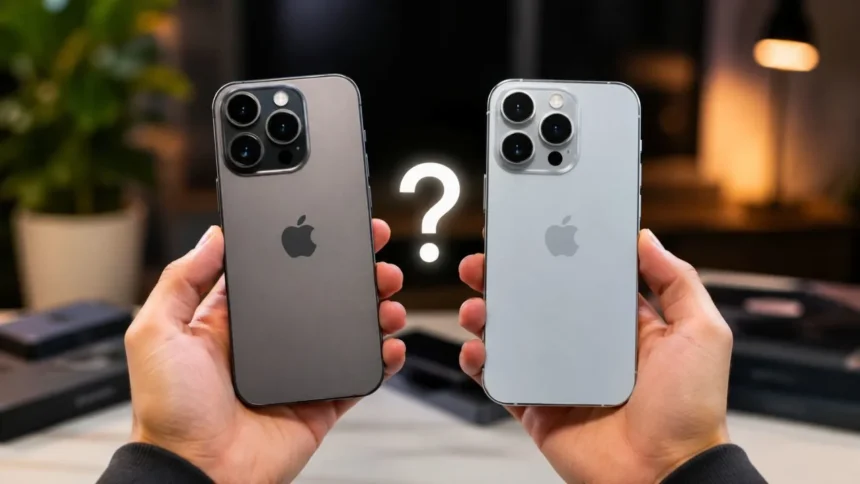
Is It Worth Upgrading to the Latest iPhone?
A new iPhone can be exciting, particularly when Apple introduces faster performance, improved cameras, brighter displays, and longer battery life. However, upgrading every year is rarely necessary for the average user. The real value depends on which iPhone you currently own, how well it performs, and which new features would genuinely improve your daily experience.
As of August 2026, the latest iPhone generation includes the iPhone 17e, iPhone 17, iPhone Air, iPhone 17 Pro, and iPhone 17 Pro Max. Each model serves a different user, from budget-conscious buyers to professional photographers and mobile creators. Choosing the right device matters more than automatically buying the most expensive option.
For someone using an iPhone 11, iPhone 12, or another aging model, the improvements can feel substantial. Better battery efficiency, sharper cameras, faster processors, USB-C charging, brighter screens, and newer safety features may make everyday use noticeably easier. Owners of an iPhone 15 or iPhone 16 may see a much smaller difference.
The decision should therefore begin with your needs rather than Apple’s marketing. Consider your phone’s battery health, storage, software support, camera quality, repair history, and trade-in value. This guide explains whether upgrading to the latest iPhone is worth it and when keeping your existing device is the smarter financial choice.
Is the Latest iPhone Worth the Upgrade?
The latest iPhone is worth upgrading to when your current phone is slow, damaged, unreliable, or approaching the end of major software support. It may also be worthwhile when battery life interrupts your day or your camera no longer meets your needs. In these situations, an upgrade solves practical problems rather than simply providing something new.
An upgrade can also make sense when you rely on your phone professionally. Content creators, photographers, business owners, social media managers, and mobile gamers may benefit from faster processing, better thermal performance, advanced cameras, and improved video tools. Time saved during editing, uploading, recording, and multitasking can justify the expense.
However, the latest iPhone may not be worth it when your existing model remains fast, receives software updates, and lasts through a normal day. Annual improvements are often noticeable when devices are compared directly, but they may not transform routine activities such as messaging, browsing, calling, banking, or watching videos.
For most users, the strongest upgrade cycle is approximately three to five years. This allows enough improvements to accumulate across the processor, display, cameras, battery, connectivity, and design. Upgrading from a one-year-old device usually offers limited value unless a particular new feature directly addresses an important personal or professional need.
What Is the Latest iPhone in 2026?
Apple’s current generation is built around five choices. The iPhone 17e is the affordable entry point, while the standard iPhone 17 offers a stronger display and more flexible camera system. The iPhone Air focuses on a thin, lightweight design, and the Pro models provide Apple’s most advanced cameras, performance, and storage options.
The iPhone 17e is technically the newest addition because it arrived after the main iPhone 17 launch. It includes an A19 chip, a 48MP main camera, MagSafe charging, USB-C, and 256GB of starting storage. It leaves out several premium features to maintain a lower price than the standard iPhone 17.
The iPhone 17 is likely to be the best overall option for most buyers. It offers a 6.3-inch OLED display with ProMotion up to 120Hz, an A19 processor, two 48MP rear cameras, and an upgraded front camera. These features deliver a balanced experience without requiring the higher price of the Pro range.
The iPhone Air is designed for people who prioritize appearance, thinness, and light weight, while the iPhone 17 Pro and Pro Max target demanding users. The Pro models include an A19 Pro chip, three 48MP rear cameras, professional video features, and larger storage choices for high-resolution content.
What Has Improved in the Latest iPhone?
One of the most noticeable improvements in the standard iPhone 17 is its ProMotion display. Previous standard models commonly reserved higher refresh rates for the Pro range. Scrolling, gaming, animations, and app navigation now feel smoother, making the regular iPhone more attractive to buyers who previously considered a Pro model mainly for its screen.
Camera hardware has also become more consistent across the range. The iPhone 17 offers 48MP main and ultra-wide cameras, while the Pro models provide three 48MP rear cameras. Higher-resolution sensors create more flexibility for cropping, reframing, macro photography, portrait images, and capturing detail in challenging lighting conditions.
Performance has improved through the A19 and A19 Pro processors. These chips support demanding games, computational photography, video processing, and Apple Intelligence features. The benefit may not be dramatic during simple texting or browsing, but it becomes clearer when editing media, switching between heavy applications, or keeping the phone for several years.
Apple has also improved durability, charging speed, battery efficiency, and starting storage in the current lineup. Most models begin with 256GB, giving users more space for photos, apps, games, and videos. These upgrades make the latest generation more practical for long-term ownership, especially when replacing an older 64GB or 128GB device.
Display Quality and ProMotion Improvements
The display is one of the features you interact with every time you use your iPhone. A brighter and smoother screen can improve reading, gaming, navigation, photography, and outdoor visibility. The iPhone 17 brings a 120Hz ProMotion display to the standard model, reducing the gap between regular and Pro iPhones.
A higher refresh rate allows the display to update more frequently. This makes scrolling through websites and social media feel smoother and gives games a more responsive appearance. Users moving from a 60Hz iPhone may notice the difference immediately, although some people are more sensitive to refresh-rate changes than others.
The iPhone Air also offers a larger 6.5-inch ProMotion display in an especially thin body. It provides more viewing space than the standard iPhone without becoming as large or heavy as the Pro Max. This combination may appeal to readers, travelers, and professionals who want a spacious screen in a lightweight device.
The iPhone 17e uses an OLED screen but does not offer the same ProMotion experience as the other current models. Its display remains sharp and suitable for daily use, but buyers who value smooth scrolling or mobile gaming may prefer the standard iPhone 17. Testing both models in person can make the choice easier.
Performance and Apple Intelligence Features
The current iPhone lineup uses Apple’s A19 generation of processors. The iPhone 17e and iPhone 17 use the A19, while the iPhone Air and Pro models use versions of the A19 Pro. All provide enough performance for daily tasks, mobile games, video streaming, photo editing, and several years of future software updates.
The Pro models are intended for heavier workloads. They are better suited to sustained gaming, professional video recording, large creative applications, and exporting high-resolution content. Most everyday users will not fully use this additional performance, which means the standard A19 can offer better value without feeling slow.
Apple Intelligence is another reason some people may consider an iPhone upgrade. Compatible devices can use tools for writing, image creation, photo cleanup, visual intelligence, translation, and enhanced Siri functions. Availability may depend on the language, region, software version, and the specific feature being used.
Older models such as the iPhone 13, iPhone 14, iPhone 15, and iPhone 15 Plus do not support Apple Intelligence. The iPhone 15 Pro models do support it, as do the iPhone 16 and later generations. Upgrading may therefore be worthwhile when Apple’s developing AI features are important to your workflow.
Are the New Cameras Worth Upgrading For?
Camera improvements are often the strongest reason to buy a new iPhone. The iPhone 17 includes a 48MP main camera and a 48MP ultra-wide camera, creating a more flexible system for landscapes, group photographs, close-up images, and everyday videos. Its main camera can also provide an optical-quality 2x view.
The iPhone 17 Pro and Pro Max go further with three 48MP rear cameras. Their main, ultra-wide, and telephoto options give photographers greater control over framing and distance. The Pro range is particularly valuable for travel photography, sports, events, portraits, filmmaking, and situations where carrying a separate camera is inconvenient.
The upgraded front camera is useful for selfies, group images, video calls, and social media creation. Center Stage can automatically adjust framing to keep people better positioned. Dual Capture allows compatible models to record with the front and rear cameras together, which can help vloggers and people documenting live experiences.
However, the camera upgrade may not justify replacing a recent phone by itself. The iPhone 15 Pro and iPhone 16 Pro already produce excellent images and videos. Upgrading becomes more meaningful when moving from an older device with weaker low-light performance, limited zoom, slower focusing, or less detailed video.
Battery Life and Charging Experience
Battery life usually changes more noticeably when upgrading from an older iPhone because battery capacity naturally declines with use. A new device combines a fresh battery with a more efficient processor and updated power management. This can eliminate the need to carry a charger or top up the phone during the afternoon.
The latest models are designed to provide all-day battery life, although actual results depend on screen brightness, network quality, gaming, navigation, camera use, and background activity. The Pro Max generally provides the longest endurance, while the thin iPhone Air may require more careful consideration from especially heavy users.
Fast charging can provide several hours of use from a short charging session when paired with a suitable power adapter. MagSafe also offers a convenient wireless option for desks, bedside tables, car mounts, and charging stands. Charging accessories are normally sold separately, so their cost should be included in your upgrade budget.
Before buying a new phone only because of poor battery life, check the battery health of your current iPhone. A professional battery replacement can restore much of its original endurance for significantly less than a new device. This is often the best solution when the phone performs well in every other area.
Is USB-C a Good Reason to Upgrade?
Apple moved newer iPhones from the Lightning connector to USB-C, creating a more convenient charging setup for many households. The same cable may work with an iPhone, iPad, MacBook, headphones, power bank, and other electronics. This can reduce the number of separate cables needed at home or while traveling.
Upgrading from an iPhone 14 or older provides the clearest benefit because those models use Lightning. An iPhone 15 or later already includes USB-C, so the charging connection alone is not a reason to move to the iPhone 17 generation. The real advantage depends on which other devices you use.
USB-C can also simplify connecting storage devices, microphones, displays, and other accessories. However, transfer speeds differ between models, and not every iPhone supports the fastest USB connection. Professional users transferring large video files should compare the exact specifications rather than assuming every USB-C iPhone performs identically.
Changing connectors may create a temporary cost because older Lightning accessories will no longer connect directly. You may need replacement cables, adapters, car accessories, microphones, or docking equipment. Review the accessories you already own before deciding that USB-C will immediately save money or reduce clutter.
Should You Upgrade from an iPhone 11 or iPhone 12?
Upgrading from an iPhone 11 can deliver a major improvement. The latest models provide OLED displays, 5G connectivity, substantially better cameras, stronger battery efficiency, USB-C, MagSafe, and much faster performance. The difference should be noticeable across photography, app loading, outdoor screen visibility, gaming, and daily responsiveness.
The iPhone 12 remains capable, but it is also reaching a more important stage of its software life. Apple’s announced iOS 27 compatibility begins with the iPhone 13 generation, meaning iPhone 12 owners may no longer receive the next major operating-system release. Security support may continue separately, but major features could become limited.
An iPhone 11 or 12 may also have a significantly worn battery after several years of charging. Repairing it can extend its life, but spending money on several repairs may be difficult to justify when the device also has limited storage, physical damage, or declining software support.
For these users, upgrading to an iPhone 17e or iPhone 17 is generally worthwhile. The 17e provides the essential improvements at a lower cost, while the iPhone 17 offers a smoother display, more versatile cameras, and a more complete long-term experience. Either should feel like a meaningful generational upgrade.
Should You Upgrade from an iPhone 13?
The iPhone 13 remains a reliable phone and is included in Apple’s announced iOS 27 compatibility list. It still offers an OLED screen, 5G, MagSafe, strong everyday performance, and capable cameras. Users with healthy batteries and sufficient storage may reasonably continue using it for another year or longer.
An upgrade becomes more attractive when the battery has weakened, the screen or back glass is damaged, or storage is constantly full. The latest models also provide USB-C, higher-resolution cameras, newer safety features, improved displays, and access to Apple Intelligence, which the iPhone 13 does not support.
Moving from the iPhone 13 to the iPhone 17 should create a visible improvement because the standard model now includes ProMotion. Camera quality, display brightness, processing speed, charging, and base storage are also stronger. These differences are significant enough to make the upgrade feel modern rather than merely cosmetic.
Still, users who mainly call, message, browse, and watch videos may not need to upgrade immediately. Replacing the battery and freeing storage can keep an iPhone 13 running effectively. The decision depends on whether newer features solve real problems or simply create a short period of excitement.
Should You Upgrade from an iPhone 14?
The iPhone 14 is still suitable for most everyday tasks and continues to receive current software support. Its processor, OLED display, cameras, and 5G performance remain dependable. For users who are satisfied with the phone, upgrading is not essential simply because a newer generation is available.
The strongest reasons to move from an iPhone 14 are USB-C, Apple Intelligence, a smoother display, better cameras, and longer-term support. The standard iPhone 17 offers several improvements that can be seen and felt, especially its 120Hz ProMotion display and 48MP Dual Fusion camera system.
Owners of an iPhone 14 Pro may find the upgrade less compelling because they already have a ProMotion display, a 48MP main camera, and a premium design. A move to the iPhone 17 Pro provides better performance, battery efficiency, cameras, and video tools, but the basic experience remains familiar.
Keeping the iPhone 14 for another year is financially sensible when its battery and storage remain adequate. An upgrade is easier to justify for creators, heavy users, or anyone wanting Apple Intelligence. Regular users may gain more value by waiting until the difference between generations becomes larger.
Should You Upgrade from an iPhone 15?
The answer depends heavily on which iPhone 15 you own. The standard iPhone 15 and iPhone 15 Plus have USB-C, a 48MP main camera, Dynamic Island, and strong performance, but they do not support Apple Intelligence. The latest range adds AI compatibility, smoother displays, improved cameras, and faster processors.
The iPhone 17 is a meaningful but not essential upgrade from a standard iPhone 15. ProMotion may be the most noticeable everyday improvement, followed by the new ultra-wide camera and front camera. Users who value display smoothness and photography will see more benefit than those focused on simple communication.
The iPhone 15 Pro and Pro Max already support Apple Intelligence and remain powerful premium devices. They include ProMotion, strong camera systems, USB-C, and capable processors. Upgrading from them is mainly worthwhile for improved battery life, newer professional cameras, stronger sustained performance, or a specific video feature.
Most iPhone 15 owners can comfortably wait unless the device is damaged or no longer meets their needs. Paying for a new phone after only two or three years may deliver limited value compared with replacing the battery later. A strong trade-in promotion could change the calculation, but the upgrade itself is not urgent.
Should You Upgrade from an iPhone 16?
For most iPhone 16 owners, upgrading to the iPhone 17 generation is unnecessary. The iPhone 16 already supports Apple Intelligence, includes USB-C, offers a modern camera system, and should receive software updates for years. Daily performance differences are unlikely to transform normal use.
The standard iPhone 17 does provide a stronger display experience because of ProMotion, along with camera, battery, and processor improvements. A user who strongly wanted a 120Hz screen but avoided buying a Pro model may find this specific upgrade attractive. Everyone else should consider whether that improvement is worth the total cost.
Moving from an iPhone 16 Pro to an iPhone 17 Pro makes the most sense for professional creators, serious mobile gamers, or users who need the latest telephoto and video capabilities. These buyers may benefit financially or creatively from the newer hardware. Casual photographers will usually find the older Pro model more than sufficient.
The iPhone Air offers a different reason to upgrade because it focuses on an exceptionally thin design. Someone who finds the iPhone 16 Pro too heavy may appreciate it, but the Air’s single rear camera requires compromise. Changing devices for design alone should be considered carefully after testing the phone in person.
Which Latest iPhone Should You Buy?
The iPhone 17e is the best choice for buyers who want a modern iPhone at the lowest current starting price. It includes the A19 chip, Apple Intelligence support, a 48MP main camera, MagSafe, USB-C, and 256GB of storage. It is suitable for messaging, work, photos, video streaming, and everyday applications.
The standard iPhone 17 is the strongest all-round choice. Its ProMotion display, dual 48MP cameras, modern front camera, A19 processor, and balanced size make it suitable for most people. It costs more than the 17e but provides improvements that users can appreciate every day rather than only in specialized situations.
Choose the iPhone Air when thinness, screen size, and light weight matter more than having multiple rear cameras. Its 6.5-inch display and A19 Pro performance create a premium experience, but its single main camera limits versatility. The higher price means buyers should value the design enough to accept that compromise.
The iPhone 17 Pro or Pro Max is best for professional creators, demanding gamers, photographers, filmmakers, and users who want the longest-lasting flagship experience. The Pro Max provides a larger display and greater battery endurance, while the regular Pro is easier to handle. Most casual users do not need either model.
How Much Does the Latest iPhone Cost?
At their U.S. starting prices, the iPhone 17e begins at $599, while the iPhone 17 begins at $799. The iPhone Air starts at $999, the iPhone 17 Pro at $1,099, and the iPhone 17 Pro Max at $1,199. Regional prices can differ because of taxes, import duties, currency rates, and retailer policies.
The advertised phone price is not always the complete cost. A case, screen protector, charging adapter, MagSafe charger, insurance plan, and additional cloud storage may increase your total spending. Users moving from Lightning accessories may also need new USB-C cables or compatible equipment.
Higher storage options can add a substantial amount to the final price. Starting with 256GB makes the current range more practical, but creators recording large video files may need 512GB, 1TB, or more. Before paying for extra storage, check how much space your existing phone actually uses.
Monthly financing can make an expensive phone appear affordable, but it does not reduce the total cost. Review the contract length, interest, carrier restrictions, upgrade terms, and insurance fees. A lower-cost model purchased outright may offer better long-term value than a premium device tied to a costly service plan.
Trade-In Value and Carrier Deals
Trading in an existing iPhone can reduce the upfront cost of upgrading. Newer models in good condition usually receive higher values, while cracked screens, damaged cameras, weak batteries, and non-working parts may reduce the offer. Trade-in estimates can also change as new generations enter the market.
Carrier promotions may offer a larger advertised discount than a direct trade-in, but the credit is often divided across monthly bills. Leaving the carrier or changing the plan early may cause you to lose the remaining discount. Read the complete terms before treating promotional credit as immediate savings.
Selling the phone privately may generate more money than using a trade-in program, particularly when the device is unlocked and in excellent condition. However, private selling requires time, careful payment handling, secure data removal, and communication with potential buyers. Convenience and maximum value do not always come from the same option.
Whichever method you choose, back up your data, sign out of your Apple Account, disable Find My, and erase the device properly. Remove physical SIM cards where applicable and confirm that important photos, messages, and authentication apps have transferred. Do not hand over a phone that still contains personal information.
Could a Battery Replacement Be Better?
A weak battery can make an otherwise excellent iPhone feel old. Rapid power loss, unexpected shutdowns, reduced performance, and frequent charging may convince users that the entire phone needs replacement. In many cases, installing a new battery provides a much cheaper and more environmentally responsible solution.
Check battery condition in the iPhone settings and consider how the device behaves during normal use. If the screen, cameras, processor, and storage still meet your needs, battery service may extend the phone’s useful life by another year or two. This can delay a major purchase until a more meaningful upgrade arrives.
Battery replacement is less attractive when several problems exist at the same time. A phone with broken glass, unreliable charging, insufficient storage, camera damage, and limited software support may require too much investment. Combining multiple repair costs can approach the value of a newer device.
Use an Apple-authorized provider or another reputable repair service that explains its parts, warranty, and procedures. Poor-quality batteries can create performance and safety problems. Back up the device before service and confirm whether water resistance or other protections may be affected by the repair.
Should You Upgrade Now or Wait?
Timing matters because it is currently August 2026, close to the period when Apple usually announces major iPhone updates. No unannounced device should be treated as confirmed, but buying near the end of an annual product cycle can result in missing a newer option or an immediate price reduction.
Waiting may be sensible when your current phone works properly and you are not facing an urgent repair. Apple’s next official announcement could provide new models, revised prices, and better comparisons. Even when you do not want the newest device, older models may become more affordable through retailers and the used market.
Upgrading now can still make sense when your phone is lost, broken, insecure, or unreliable for work. It may also be reasonable when you find an unusually strong trade-in offer or discount. A practical need today can matter more than the possibility of a better product later.
Avoid delaying indefinitely when the phone prevents you from handling important communication, banking, navigation, authentication, or work. The best time to upgrade an iPhone is when the purchase solves a genuine problem at a cost you can comfortably afford. Product-cycle timing should support that decision rather than control it completely.
Who Should Upgrade to the Latest iPhone?
People using an iPhone 11 or iPhone 12 are the clearest candidates for an upgrade. They can gain better battery life, newer software compatibility, USB-C, improved cameras, brighter OLED screens, faster performance, and modern safety features. The improvement should feel substantial across most parts of the experience.
An upgrade is also worthwhile for anyone whose phone has become unreliable. Frequent crashes, charging problems, insufficient storage, broken cameras, damaged displays, and failing buttons can interfere with daily life. When repairs are extensive, replacing the device may offer better long-term value.
Professional users may benefit from upgrading sooner than casual users. Better video formats, improved stabilization, stronger zoom, faster processing, and larger storage can make content production more efficient. The purchase may be easier to justify when the phone directly supports income, client work, or business communication.
Users who want Apple Intelligence but own an unsupported device may also consider upgrading. The current lineup is designed for Apple’s developing AI features and upcoming Siri improvements. However, buyers should choose based on useful features available to them rather than assuming every announced function will immediately support all languages and regions.
Who Should Keep Their Current iPhone?
Keep your current phone when it remains fast, reliable, and capable of completing everything you need. A newer processor will not create meaningful value when your main activities are messaging, calling, browsing, email, navigation, and occasional photography. Satisfaction with the current device is a valid reason not to upgrade.
Owners of an iPhone 15 Pro or any iPhone 16 model generally have little urgency. These phones support Apple Intelligence, use USB-C, provide strong cameras, and should continue receiving software updates. Upgrading may produce improvements, but the cost per meaningful feature can remain high.
You should also delay when purchasing the latest iPhone would create financial pressure. A smartphone is an important tool, but financing a premium model through an expensive plan can affect other priorities. A battery replacement, certified refurbished phone, or lower-cost iPhone may provide a better balance.
Finally, avoid upgrading only because your current phone looks familiar. New-device excitement often fades quickly once your apps, wallpaper, and accounts are transferred. Compare the specific improvements against your daily frustrations. When you cannot identify a problem the new phone will solve, keeping the existing device is usually wiser.
Questions to Ask Before Upgrading
Begin by asking whether your current iPhone still receives the software and security support you need. Consider whether its apps remain compatible and whether performance has become unreliable. A device approaching the end of major iOS support may justify replacement even when the hardware still appears functional.
Next, review battery health, available storage, repair needs, and camera performance. Identify the issue that causes the most frustration. If one affordable repair solves the problem, upgrading may not be necessary. When several limitations affect the phone simultaneously, a replacement becomes more reasonable.
Decide which new features you will use regularly. ProMotion, Apple Intelligence, improved zoom, USB-C, longer battery life, and professional video tools can be valuable, but not equally valuable to everyone. Prioritize features connected to real activities instead of choosing the model with the longest specification list.
Finally, calculate the complete cost after trade-in value, taxes, accessories, storage, insurance, and carrier requirements. Compare that total with repair or refurbished alternatives. A good iPhone upgrade should improve your daily experience for several years without creating regret or unnecessary financial pressure.
Final Verdict: Is the Latest iPhone Worth It?
The latest iPhone is worth upgrading to for owners of older models, particularly the iPhone 11 and iPhone 12. The current range offers meaningful improvements in displays, cameras, processors, battery efficiency, charging, storage, software support, and AI compatibility. These users are likely to notice the difference immediately.
For iPhone 13 and iPhone 14 owners, the decision is more personal. Upgrading makes sense for better battery life, Apple Intelligence, USB-C, ProMotion, or improved photography. Keeping the existing phone is also reasonable when it remains reliable and continues meeting everyday needs.
Most iPhone 15 Pro and iPhone 16 owners should wait unless they need a particular camera, display, design, or professional performance feature. Their existing phones remain modern and capable. Annual upgrading usually provides poor value compared with waiting until several generations of improvements have accumulated.
Because it is August 2026, buyers without an urgent need should also consider waiting for Apple’s next official product announcement. Ultimately, the best upgrade is not automatically the newest or most expensive iPhone. It is the model that solves your current problems, suits your budget, and remains useful for years.
Frequently Asked Questions
How often should you upgrade your iPhone?
Most people can keep an iPhone for three to five years before upgrading. Replace it sooner when battery, damage, storage, performance, or software support begins interfering with normal use.
Is the iPhone 17 worth upgrading to?
The iPhone 17 is worthwhile for users coming from an iPhone 13 or older, especially for its ProMotion display, improved cameras, Apple Intelligence support, USB-C, and stronger battery performance.
Should I upgrade from the iPhone 16 to the iPhone 17?
Most iPhone 16 owners do not need to upgrade. Consider it only when you strongly value the smoother display, upgraded cameras, or another specific feature that improves your daily work.
Is it better to replace an iPhone battery or upgrade?
Replace the battery when the phone remains fast, undamaged, and supported by current software. Upgrade when poor battery life is combined with storage, repair, performance, or compatibility problems.
Should I buy an iPhone now or wait?
In August 2026, waiting may be sensible because Apple’s usual fall launch period is approaching. Buy now when your phone is broken, unreliable, or available with a genuinely valuable discount.